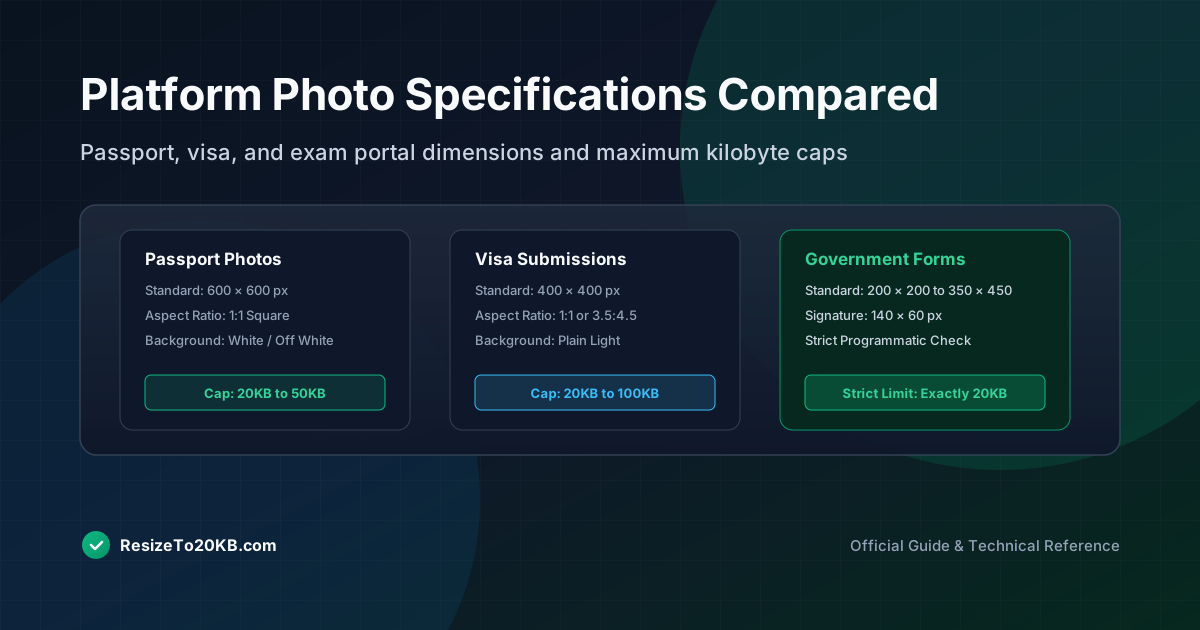
Not all 20KB requirements are created equal. A passport photo might demand different dimensions than a visa application photo, even though both cap file size at the same limit. This guide compares requirements across common platforms so you know exactly what to prepare before uploading.
Why Some Applications Set a Strict 20KB Photo Limit
Government systems often run on older infrastructure with strict storage constraints. A 20KB photo limit keeps databases lean and upload processing fast, especially for systems handling millions of applications across national or regional government networks.
This explains why passport photo requirements and similar official forms rarely budge on file size limits, even as personal devices capture increasingly large, high-resolution images by default through modern smartphone cameras and cameras built into laptops.
How to Check the Exact Photo Requirements Before Resizing
Always check official guidelines before editing. Requirements vary not just in file size, but in photo dimensions, background color, and even acceptable file formats. Skipping this step often means redoing your image resolution work entirely.
Most official portals list requirements clearly on their upload page. Look specifically for maximum KB size, required pixel dimensions, and accepted formats like JPEG or PNG before starting any photo compression or resizing process.
What Dimensions and File Formats May Be Required Together
Many applications require dimensions and file size simultaneously. A passport photo might need exactly 600x600 pixels while also staying under 20KB, meaning both image compression and precise dimension control matter equally throughout the process.
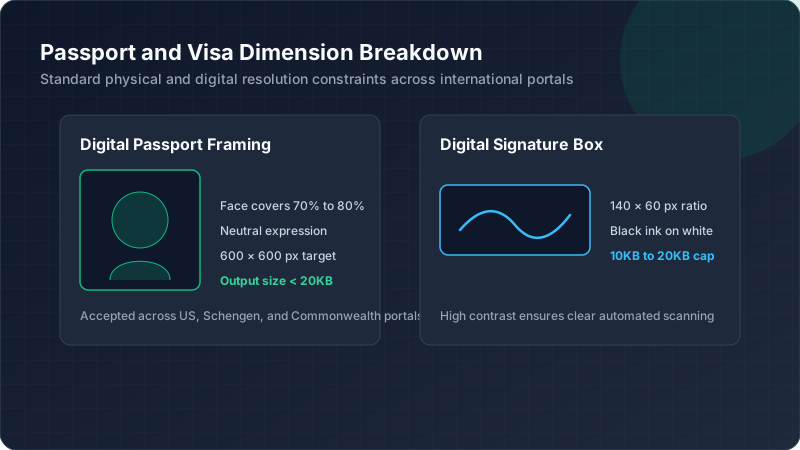
Here’s a general comparison table of typical requirements:
| Document Type | Typical Dimensions | File Size Limit |
|---|---|---|
| Passport Photo | 600x600 px | 20KB-50KB |
| Visa Photo | 400x400 px | 20KB-100KB |
| Government Form | Varies | 20KB-30KB |
Always confirm exact numbers with the specific application portal.
How Passport Photo Rules Can Differ From Visa Requirements
Passport photo requirements often specify stricter background rules, typically requiring plain white or off-white backdrops. Visa image size requirements sometimes allow more flexibility but may demand different aspect ratios entirely.
This means a photo prepared for one application might fail another, even if both share the same 20KB file size cap. Always treat each official photo requirement as unique rather than assuming universal compatibility across platforms.
Why Government Websites May Reject a Photo Above the Maximum Size
Upload portals typically enforce hard limits programmatically. Even a photo one kilobyte over the maximum file size gets rejected instantly, regardless of how close it comes to meeting requirements otherwise during the submission process.
This strict enforcement frustrates many applicants. Understanding that there’s no flexibility built into most application upload systems helps explain why precise photo compression matters so much more here than for casual social media uploads.
How Background, Resolution, and File Size Work Together
These three factors interact constantly. A busy or textured background increases file size at any given image resolution, making it harder to hit small targets. Simplifying the backdrop often makes compression significantly more effective.
This is why official guidelines almost always specify plain backgrounds. It’s not just about official appearance standards, it also makes reaching strict 20KB photo limit requirements considerably easier during the actual compression and resizing process.
What to Do When a Required Photo Must Be Exactly or Below 20KB
Start with correct dimensions first, matching official requirements exactly. Then apply gradual JPEG photo compression, checking file size after each adjustment until you land safely under the specified limit without overshooting unnecessarily.
Leave a small buffer if possible. Aiming for 18KB instead of exactly 20KB provides safety margin against rounding differences between different file size checker tools or upload systems that might calculate size slightly differently.
How to Avoid Distorting an Official Identification Photo
Never stretch or squash dimensions to force a specific size. This distorts facial proportions, potentially causing application rejection for unrealistic appearance. Always maintain proper aspect ratio while adjusting passport image size correctly.
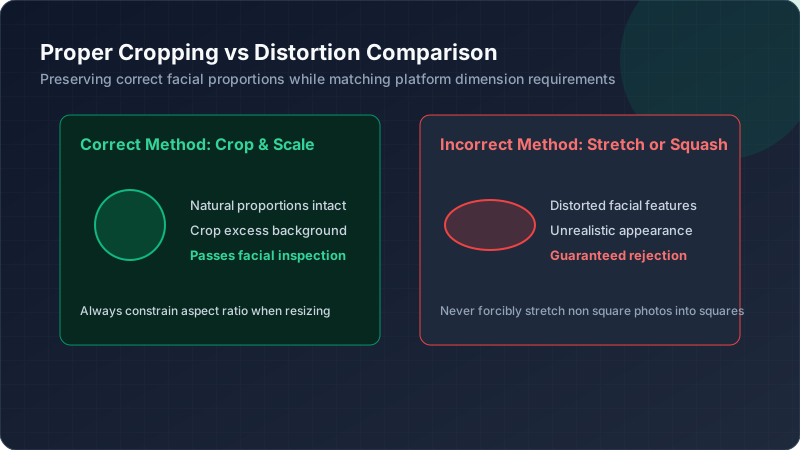
Crop thoughtfully instead of stretching. Removing excess background space around the subject often achieves required dimensions naturally, preserving accurate proportions while still meeting strict identification photo requirements set by official government portals.
How to Verify the Final File Before Uploading
Before submitting, double-check both file size and pixel dimensions match requirements exactly. Many applicants get rejected purely from skipping this verification step, assuming their digital passport photo is correct without actually confirming the details.
Use your device’s built-in file properties to confirm exact KB size and dimensions. This thirty-second check prevents wasted application attempts and frustrating resubmissions caused by an incorrectly sized online form photo upload.
Conclusion: Preparing a 20KB Photo for Online Applications
Every platform treats 20KB photo requirements slightly differently, from exact dimensions to background rules. Checking official guidelines first, then carefully balancing resolution and compression, prevents frustrating rejections. With careful preparation, meeting even the strictest passport photo requirements becomes a straightforward, repeatable process.